
ON-DEMAND & SELF PACED EXCEL COURSE FOR BEGINNERS
Microsoft Excel for Beginners Accelerated Course
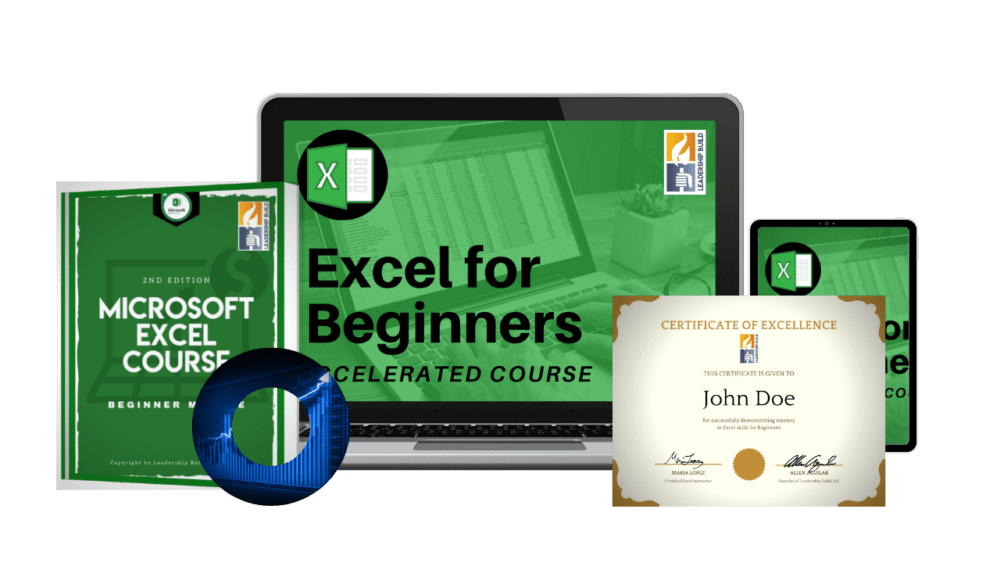
Our Microsoft Excel for Beginners Accelerated Course includes video tutorials to help you learn basic Microsoft Excel concepts along with practice spreadsheets to help you apply what you learn. The beginner Excel course is designed to help you master the excel basics very quickly and efficiently. During our Microsoft Excel basics course, you'll:
Lifetime Access
Microsoft Excel for Beginners Accelerated Course
Only $19.98
Regular price: $44.99
Offer only valid until:
Monday
January
01
1999
Certificate of Completion Included
Over 25 Practice Spreadsheets
Contact Excel Experts When You Feel Stuck
Lifetime Access to Content
MICROSOFT EXCEL COURSES DONE RIGHT
Learn Excel Quickly & Easy
What is included in the Microsoft Excel for Beginners Accelerated Course?
RECEIVE YOUR
Certificate of Completion
Earn your Certificate after completing your Microsoft Excel for Beginners Accelerated Course and passing the Final Exam. The certificate is available for download in PDF format and is a great way to display that you have mastered the Microsoft Excel basics as a beginner.
GET SUPPORT ALONG THE WAY
Contact Our Excel Experts When You Feel Stuck
As you work through your Excel course, you'll have a piece of mind knowing that help is always near. Whenever you feel stuck you can post questions to get help from an expert, email us or chat with us live. You can expect responses within 24 hours.
BEST EXCEL CLASS FOR BEGINNERS
Learn Basic Excel Formulas & More
Leadership Build is Microsoft Certified and has built the Microsoft Excel for Beginners Accelerated Course to help Excel beginners learn the Excel basics, master using Excel spreadsheets and get an introduction to basic Excel formulas. The beginner Microsoft Excel class features essential topics all Excel beginners must master.
Microsoft Excel Accelerated Course For Beginners List of Lessons
17m 4s
Lesson 1: Basic Navigation & Terminology
During the first lesson of your Excel Beginners course, you'll simply be introduced to the Excel workbook and the Excel spreadsheets. You'll learn the terminology commonly used in Excel and where to find certain features as you get acquainted with the Excel program.
21m 51s
Lesson 2: Editing & Changing the Format of Your Tables
In the second lesson of your Microsoft Excel for Beginners course, you'll learn how to navigate the Home tab and change the format of your cell contents, such as the font, font size, cell fill and alignment.
22m 35s
Lesson 3: Editing, Sorting & Filtering Your Tables
During the third lesson of your Basic Excel course, you'll learn how to work with columns, how to add new sheets and how to properly sort your data. You'll also learn how to apply filters and use filters with your tables.
11m 47s
Lesson 4: More Excel Functions Every Beginner Should Know
The fourth lesson of our Beginner Excel course, you'll learn additional basic excel functions, such as removing duplicate entries, how to group columns and rows and how to perform simple tasks in your tables.
11m 41s
Lesson 5: Introduction to Excel Formulas
During this lesson of your Excel Beginners Class, you'll be introduced to basic Excel formulas. You'll learn how to perform simple calculations in Excel and receive 5 profitable recommendations that will help you quickly learn any Excel formula.
9m 14s
Lesson 6: AUTOSUM & SUM Functions
During your sixth lesson of your Beginner Excel training, you'll learn different ways to add your content. You'll work with simple AUTOSUM functions and eventually create a SUM formula on your own.
12m 19s
Lesson 7: More Excel Formulas for Beginners
To complete your Microsoft Beginner Excel Course, you'll learn six more formulas to help you on your Excel journey. You'll use the AVERAGE formula to calculate averages and the COUNT formula to count entries, plus more.
Final Exam
Complete your Beginning Excel training course by passing our final exam and earn your certificate quickly.
PRACTICE BEYOND THE COURSE
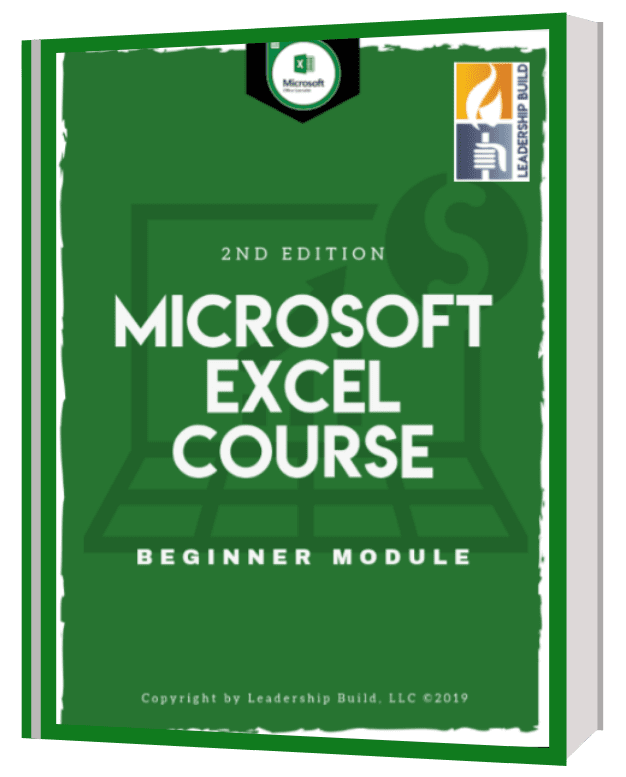
FREE E-Book: Microsoft Excel Course: Beginner Module
To help you with your journey, our Excel for Beginners Accelerated Course includes a FREE E-book. This E-book is a great resource that you can use during your course and after you complete the course. The E-book includes:
COURSE REVIEWS
What some of our proud students say about us
4.7 out of 5 stars
easy
good examples . helpful teacher
Excel for Beginner's
Very well presented, clear and concise. Pace was just right.
Excel for Beginners Review
Very informative
VERY GOOD
VERY GOOD AND GOOD LEARNING EXPERIENCE
My Review
Very helpful
Great First Course
If you are new to Excel, this is great!
Good basic understanding
Well worth the purchase. Good presentation for the beginnner.
Great course.
I have taken a course at a local college with an instructor and in an online class setting that was also accelerated and I learned nothing, retained nothing. This method was easier to digest and absorb the information and it was great to be able to put into practice immediately. I have retained what I learned and already used the skills at work!
Very informative
This is a very informative lesson series. I learned alot
What's Included With Your Purchase
70% OFF Course
Microsoft
Excel for Beginners
Accelerated Course
Only $19.98
Regular price: $44.99
Receive a FREE
Microsoft Excel for Beginners E-Book
GREAT LEADERS ARE BUILT
About Leadership Build

Leadership Build was established in 2013 in sunny, Southern California. Our goal is to provide resources, training and coaching to employees across all industries in order to develop strong leaders. We strive to help people in organizations by providing professional development and the proper support for long-term success. To learn more about our mission, vision and our values, visit our About Us Page.
Our services include online courses, online workshops via webinars, in-person company trainings and consulting. To contact us about your training needs, please email us at info@leadershipbuild.com
WE HAVE ANSWERS
Frequently Asked Questions
Is the Beginner Excel Accelerated course an on-demand courses?
Yes. The course is a self-paced on-demand course with practice spreadsheets that you can download to follow along and complete the assigned exercises.
Why is the courses considered an "Accelerated" course?
Our "Accelerated" courses are meant to focus on the important Excel concepts that you will most likely use and leaves out concepts that are hardly used. The goal of our accelerated courses is to help you master essential Excel skills quickly and easily.
Is the Beginner Excel Accelerated course taught with a live instructor?
No. The course is an on-demand course.
How long will I have access to the Excel course?
When you purchase one of our Excel courses, you will have lifetime access to the course. This means that you'll always be able to log in to your account and access your course content.
Does the Beginning Excel course include a certificate?
Yes, all of our online Excel courses include a certificate that you earn upon completing the course and passing the final exam.
Do you offer Excel workshops for companies/employees?
Yes, Leadership Build conducts 2-hour, 4-hour and 6-hour workshops with companies on various computer skills and soft skills. To learn more, feel free to complete our Questionnaire.
How do I purchase multiple Excel courses for employees?
To purchase our Excel courses in bulk, please contact us at support@leadershipbuild.com or chat with us live to provide us with your needs.
Copyright © Leadership Build 2020 | All Rights Reserved.
OptimizePress Popup Overlay
For Avid Excel Users
Advanced Excel Accelerated Course

4.8 Stars of 68 Reviews
The Advanced Excel Accelerated Course is specifically designed to help any excel user who uses the Excel program consistently and wants to learn some of the advanced features Excel has to offer. This online Excel training course bridges the gap between intermediate skills and advanced concepts by covering the essential Excel functions any advanced Excel user really needs to know. The course is divided into 7 individual lessons and includes more than 25 practice exercises, allowing users to earn their Excel certificate quickly.
Course Details
Number of Lessons: 7
Instruction Type: Video tutorials
Instructor-Led Exercises: 26
Practice Exercises: 26
Access to Instructor: Yes
Certificate Included: Yes
Total Instructional Time: 1 hour & 28 minutes
Length of Subscription: Lifetime
Listed Price of Course: $45.99
Course Syllabus
WARM UP LESSON
Instruction Length: 1m 25s
The Advanced Excel Accelerated Course begins with two warm-up exercises to help you assess your skills in a few intermediate-level Excel concepts. The warm-up exercises are designed to help you smoothly transition from an intermediate Excel user to an advanced Excel user.
LESSON 1: HOW TO USE HYPERLINKS & WORK WITH DATES
Instruction Length: 10m 17s
Lesson 1 helps you quickly learn Excel skills that intermediate users should know and helps our newer Excel students get well acquainted with the structure of our course. During this lesson you'll learn different techniques to link sheets together, work with hyperlinks and learn a few formulas that will help you become more efficient when working with dates in Excel.
LESSON 2: LOGICAL FORMULAS
Instruction Length: 19m 19s
In Lesson 2 of our Advanced Excel Accelerated Course, you'll begin to learn how to automate your formulas by using the infamous IF formula. Through numerous exercises, you'll learn how to apply the IF formula to automate a process, how to use multiple IF formulas when you encounter different conditions and how to combine IF formulas with other logical formulas to facilitate the automation process.
LESSON 3: LOOKUPS, VLOOKUPS AND HLOOKUPS
Instruction Length: 17m 50s
In Lesson 3, users will spend a significant portion of their time learning three different types of lookup formulas by learning about how they are structured, how they are used, and when to use each type of formula depending on your spreadsheet and your desired outcome.
LESSON 4: INTRODUCTION TO PIVOT TABLES
Instruction Length: 9m 26s
In Lesson 4 of our Advanced Excel Accelerated Course, you'll learn how to build pivot tables in a few easy steps.
LESSON 5: HOW TO CUSTOMIZE YOUR PIVOT TABLES
Instruction Length: 11m 42s
Lesson 5 is a continuation of Lesson 4. Now that you have some basic understanding of Pivot Tables, it's time to learn how to to customize them, manipulate them and organize them depending on the data you want to produce.
LESSON 6: PIVOT CHARTS
Instruction Length: 9m 46s
Learn how to create pie graphs, bar charts, line graphs and more by using Pivot Charts in Excel.
LESSON 7: ADDITIONAL TASKS FOR PIVOT TABLES
Instruction Length: 5m 29s
Become a pro with Pivot tables by learning how to do additional tasks, such as inserting Slicers into your pivot tables and creating a custom field with a calculation.
Customer Reviews
Our happy customers continue to rate us with 5 stars
OptimizePress Popup Overlay
Learn the Excel Basics
Excel for Beginners Accelerated Course
4.9 Stars of 102 Reviews
The Excel for Beginners Accelerated Course is designed to help any beginning excel user learn the foundational concepts of Microsoft Excel quickly and easily. This Excel training course for beginners covers the basics new users need to learn how to use the software without the need of learning Excel functions that may go unused. The course is divided into 7 separate lessons and includes more than 20 practice exercises and a way to earn the Excel for beginners certificate quickly.
Course Details
Number of Lessons: 7
Instruction Type: Video tutorials
Instructor-Led Exercises: 25
Practice Exercises: 32
Access to Instructor: Yes
Certificate Included: Yes
Total Instructional Time: 1 hour & 50 minutes
Length of Subscription: Lifetime
Listed Price of Course: $45.99
Course Syllabus
LESSON 1: BASIC NAVIGATION & TERMINOLOGY
Instruction Length: 17m 4 s
Build your foundational skill by learning how to navigate a workbook, a ribbon and work with a basic spreadsheet. During this lesson you'll learn where to find things in Excel, how to properly name sections in Excel, how to navigate a ribbon, a workbook and a spreadsheet. You'll end the lesson working with some data and doing simple tasks to get you acclimated with tables.
LESSON 2: UPDATING, CHANGING & DUPLICATING THE FORMAT & CONTENT OF TABLES
Instruction Length: 21m 51 s
Learn how to use the Home tab commands to change the formatting of the content in your tables. During this lesson you'll be able to cut, copy and paste content, cells, rows and columns and learn how to use the Format Painter. Additionally, you'll learn how to change the background colors of cells, font colors and work with the Alignment group and working with Number formats.
LESSON 3: EDITING, SORTING AND FILTERING YOUR TABLES
Instruction Length: 22m 35 s
Learn basic Excel concepts such as inserting, deleting and moving rows and columns and how to sort and filter your table. During this lesson you'll use more common techniques to manipulate and organize your data.
LESSON 4: MORE EXCEL FUNCTIONS EVERY BEGINNER SHOULD KNOW
Instruction Length: 11m 47 s
In Lesson 4 of our Excel for Beginners Accelerated Course learn additional Excel functions such as grouping, removing duplicate entries and inserting Headers and Footers to sheets.
LESSON 5: INTRODUCTION TO EXCEL FORMULAS
Instruction Length: 11m 41 s
Learn how to build a formula and how to read basic Excel functions by learning the foundational concepts of formula calculations and the structure of the syntax. In this lesson you will also learn shortcuts to use basic formulas.
LESSON 6: AUTOSUM & SUM FUNCTIONS
Instruction Length: 9m 14 s
Learn and practice using AutoSUM and the SUM formula in your tables. These two basic formula functions will become the stepping stone to learn more advanced formulas.
LESSON 7: MORE EXCEL FORMULAS
Instruction Length: 12m 19 s
In this lesson, learn additional formulas to use with your tables and make automatic computations such as the AVERAGE formula the COUNT formula and the MAX and MIN formulas.
Customer Reviews
Our happy customers continue to rate us with 5 stars
OptimizePress Popup Overlay
Go Beyond the Basics
Intermediate Excel Accelerated Course
4.9 Stars of 81 Reviews
The Intermediate Excel Accelerated Course is specifically designed to help any frequent excel user quickly move beyond the basics. This Excel training course for intermediate-skilled users bridges the gap between beginner and intermediate concepts, and covers the only the essential Excel functions that intermediate Excel users really need to know. The course is divided into 7 separate lessons and includes more than 25 practice exercises and a way to earn your certificate quickly.
Course Details
Number of Lessons: 7
Instruction Type: Video tutorials
Instructor-Led Exercises: 21
Practice Exercises: 26
Access to Instructor: Yes
Certificate Included: Yes
Total Instructional Time: 1 hour & 45 minutes
Length of Subscription: Lifetime
Listed Price of Course: $45.99
Course Syllabus
WARM-UP LESSON
Instruction Length: 1m 31 s
The Intermediate Excel Accelerated Course begins with two warm-up exercises that will help you test your skills in basic Excel concepts. The warm-up exercises are designed to help you bridge the gap between beginner-level skills and intermediate skills.
LESSON 1: USING ANCHORS TO USE THE AUTOFILL HANDLE
Instruction Length: 8m 18 s
Lesson 1 helps you quickly get up to speed with some preliminary concepts you may have never learned to use as a beginner. During this lesson you’ll learn a few shortcuts to quickly apply formulas to tables and how to properly implement the use of the Autofill Handle and anchors.
LESSON 2: CREATING RULES WITH CONDITIONAL FORMATTING
Instruction Length: 8m 48 s
Improve your efficiency when using tables by creating specific rules to highlight or make parts of your data stand out. In Lesson 2 of the Intermediate Excel Accelerated Course you will learn how to make your tables look a lot more professional and even automate the process of highlighting cells. Lear how to use create various rules and effectively use Conditional Formatting.
LESSON 3: USING DATA VALIDATION TO CONTROL DATA ENTRY ERRORS
Instruction Length: 10m 12 s
In Lesson 3, learn how to control data entry errors in your spreadsheets, which is a very helpful technique if you have multiple people working on data sets. Use Data Validation to reject data imputed into specific cells.
LESSON 4: USING TEXT TO COLUMNS TO SPLIT YOUR CELL CONTENT
Instruction Length: 9m 52 s
In Lesson 4 of our Intermediate Excel Accelerated Course learn a special technique that will allow you to split the content of cells into one or more columns.
LESSON 5: HOW TO USE TEXT FORMULAS AND PASTE SPECIAL VALUES
Instruction Length: 19m 59 s
Improve your use of formulas by learning how to manipulate, extract and combine your data. In Lesson 5, learn how to use specific Text formulas to accomplish a desired outcome.
LESSON 6: SHORTCUTS TO USE WHEN WORKING WITH TABLES
Instruction Length: 10m 24 s
Learn and practice the use of Table formatting which will help you become more efficient when working with large data sets.
LESSON 7: INTRODUCTION TO LOGICAL FORMULAS
Instruction Length: 20m 29 s
Become more efficient by learning the structure, use and importance of Logical formulas. In the final lesson of our Intermediate Excel Accelerated Course you will be introduced to more complex formulas that will help you quickly analyze your data and prepare you for more advanced techniques.
Customer Reviews